Send. Sign. Sorted.
Electronic signatures, approvals and forms for Australian organisations, at one price for your whole workspace.
Upload a PDF, place the fields and send it, and each person types, draws or uploads their signature in the browser, on any device, with no account. Add approval steps in order, all at once or by quorum, and steps that apply only above an amount. Protect a request with an access code, have a signature witnessed, and send from templates, public form links or the API, in your own branding. Every request ends with a completion certificate and a tamper-evident audit trail.
Every feature, and the plan it needs →Closed beta · Free for beta organisations · Pricing to be announced
Free signersNo accounts, no app
One price per workspaceSenders share one allowance
Tamper-evidentHashed, chained audit trail
Priced in AUDMade in Australia
How it works
Upload, add people, place fields, send
If you can attach a file to an email, you can send a request in Refrendo.
- 1
Upload the PDF
Contracts, purchase orders, policies: any PDF up to 25 MB. Or start from one of your templates.
- 2
Add the people
Colleagues by name, outside parties by email. Choose who signs, and add anyone who should approve it first, only needs to read it, or receives a copy.
- 3
Place the fields
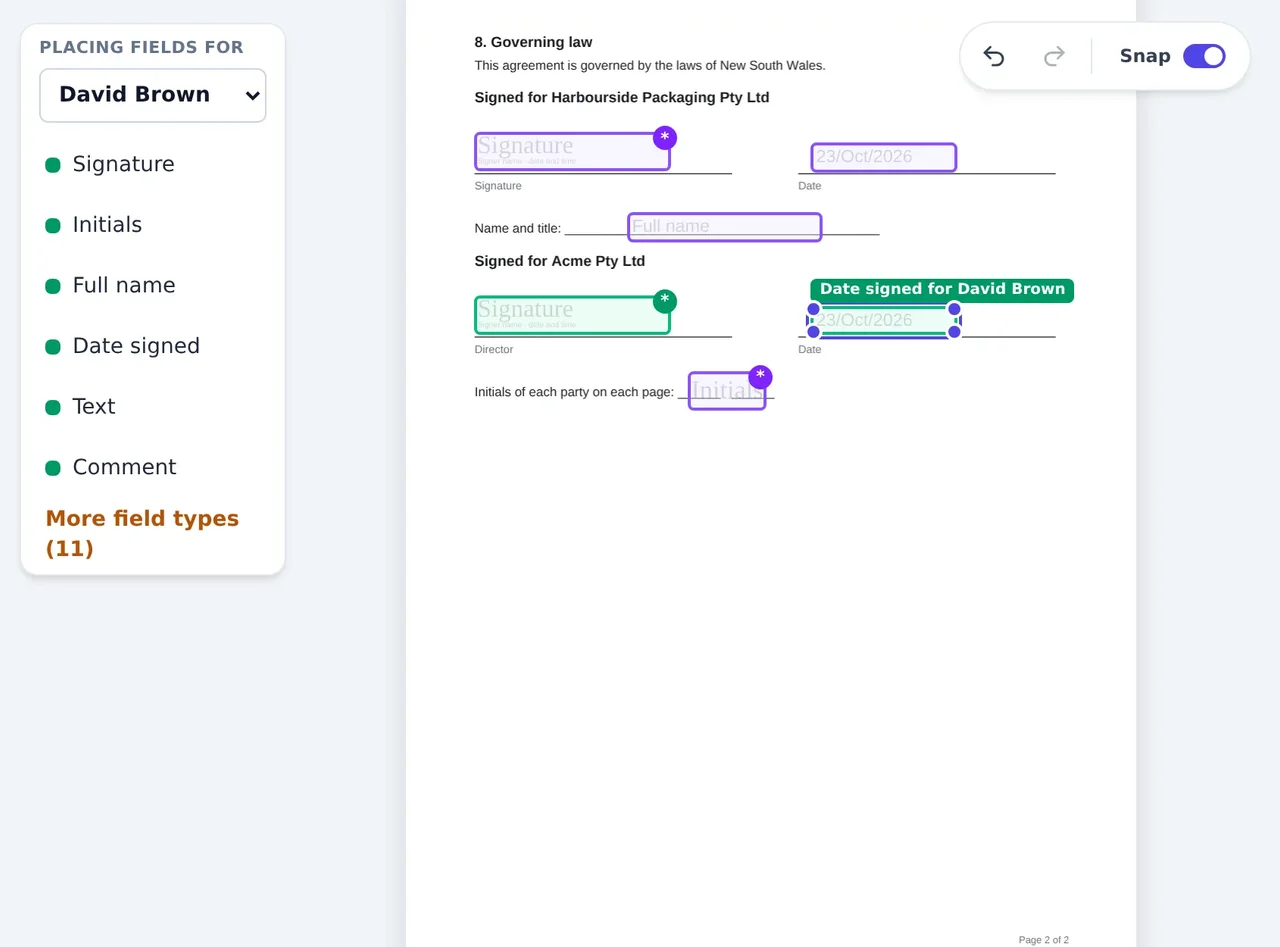
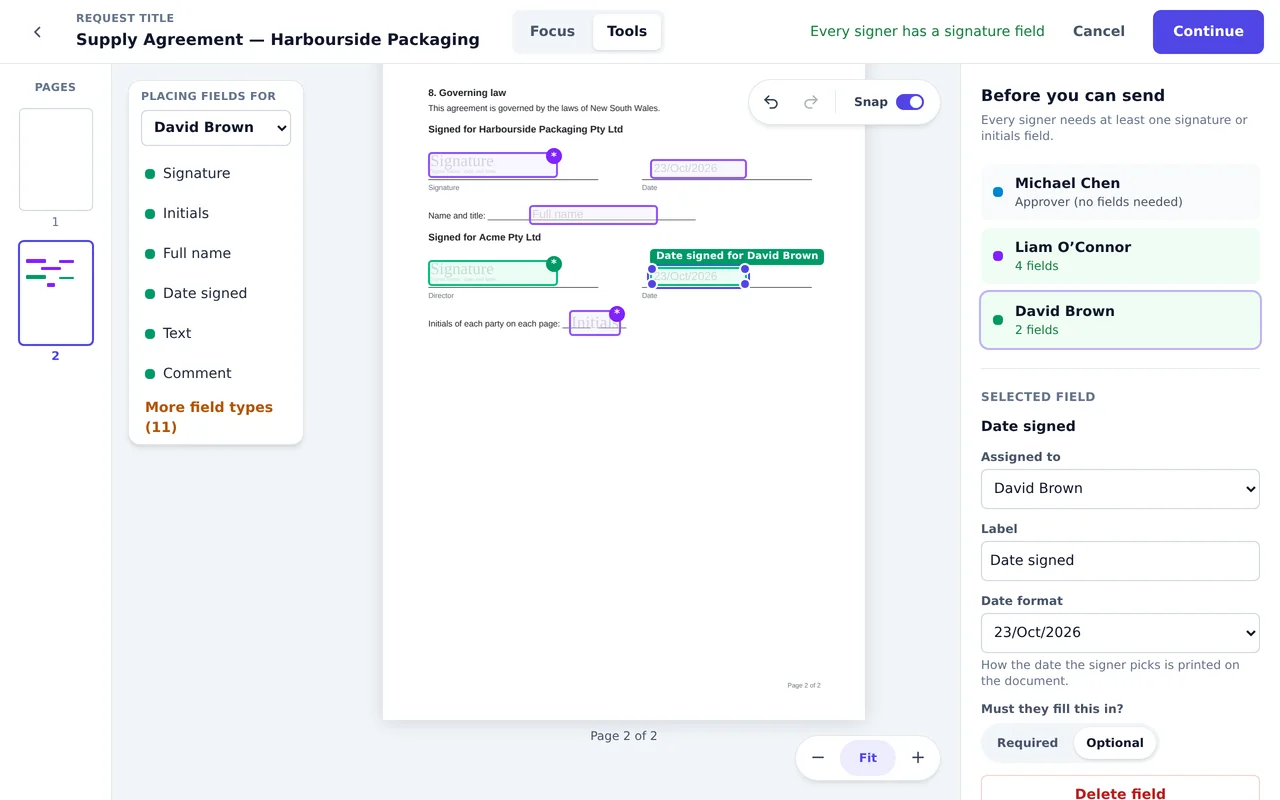
Drag signatures, initials, dates, names and text boxes onto the page, one person at a time.
- 4
Send it
Everyone is emailed when it’s their turn, reminded if they forget, and you see where it’s up to.
For the people you send to
Signing needs only the link in their email
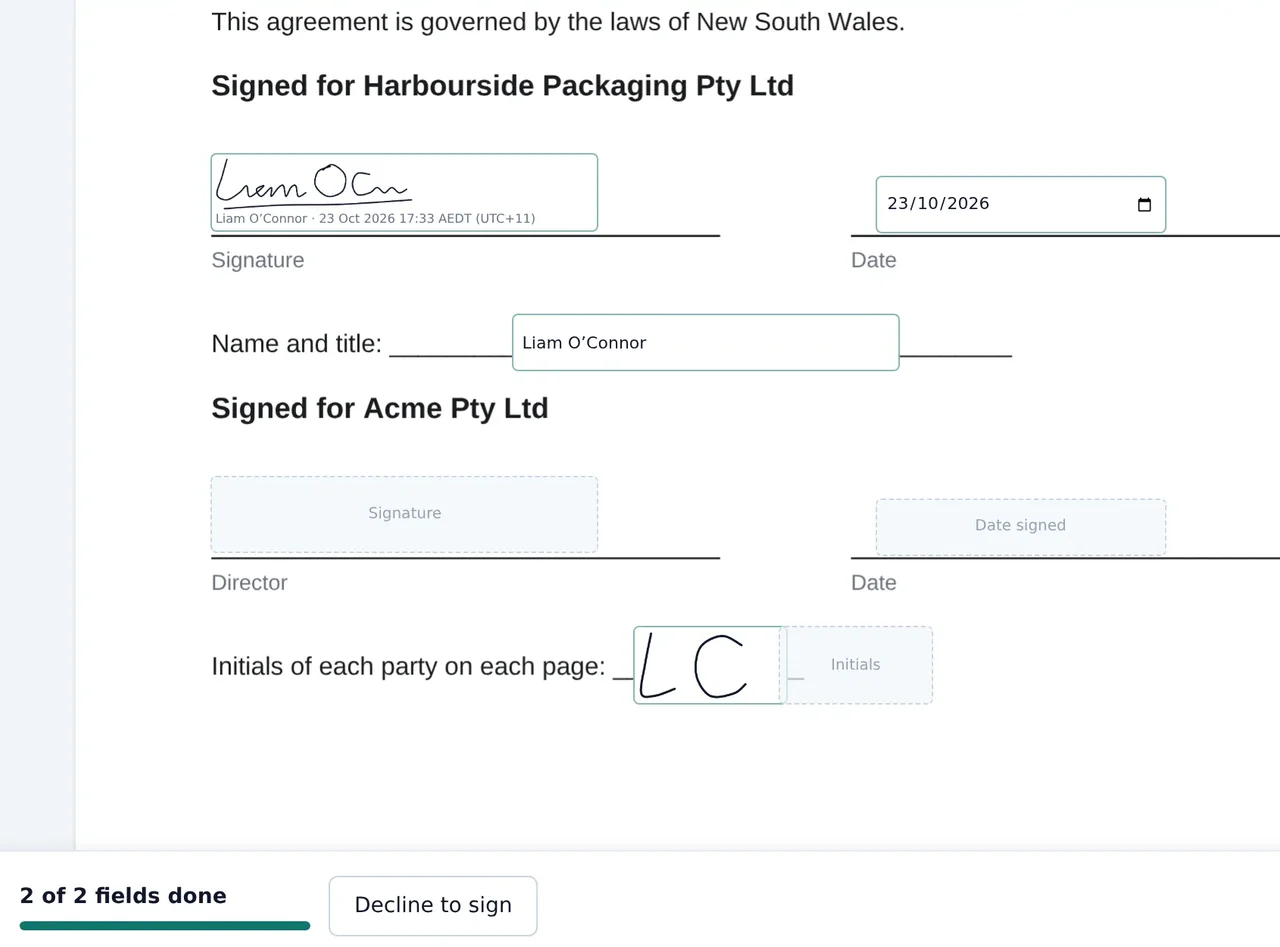
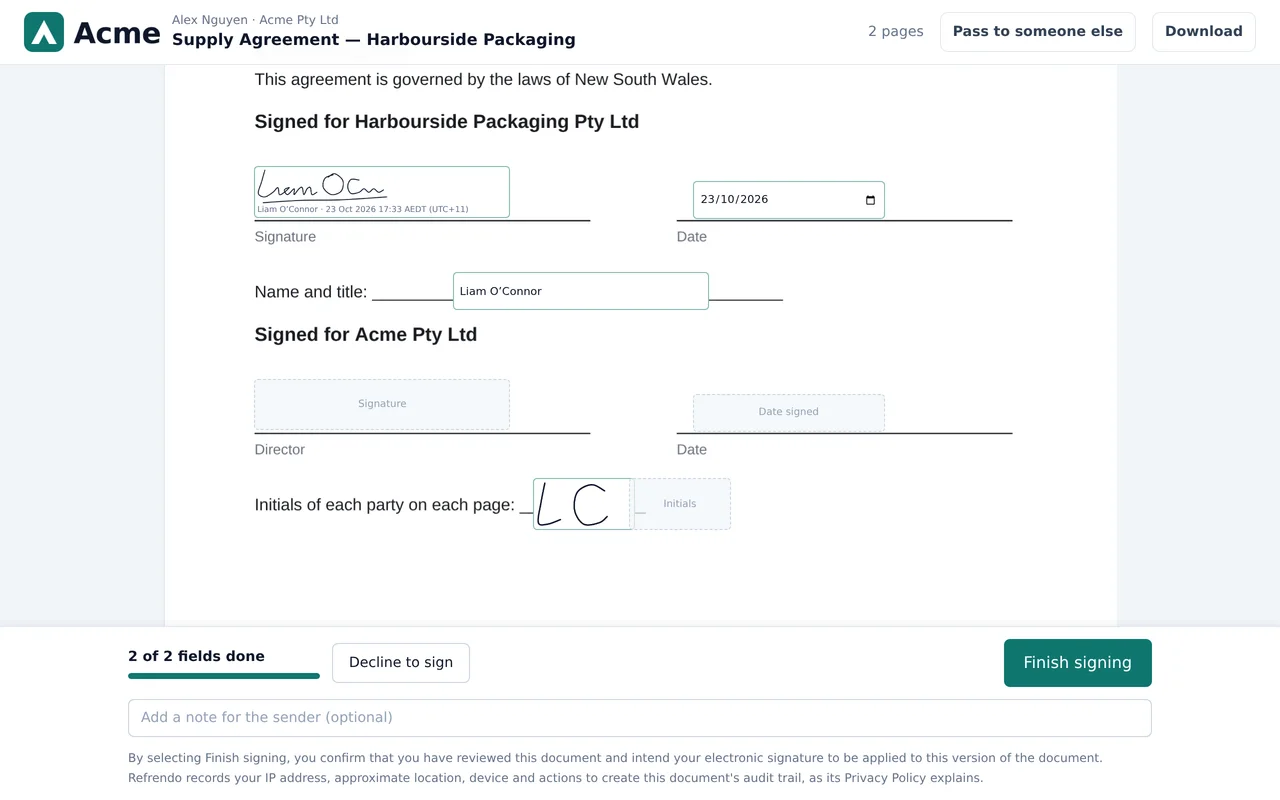
There is no app to install and no account to create. Your supplier clicks the link in their email and is taken through each field in turn. They can type, draw or upload a signature, and their initials separately, on any device. If it should be someone else, they can pass it on in two clicks (Team and above).
Before they start, they read your organisation’s short disclosure about electronic records and agree to use them. Where an email alone isn’t enough, ask for an access code and give it to them by phone or in person.
They see only their own request. Their link works for that request only, expires, and stops working if you retract or revise the document.
Approvals, when you need them
Add a sign-off before the signature
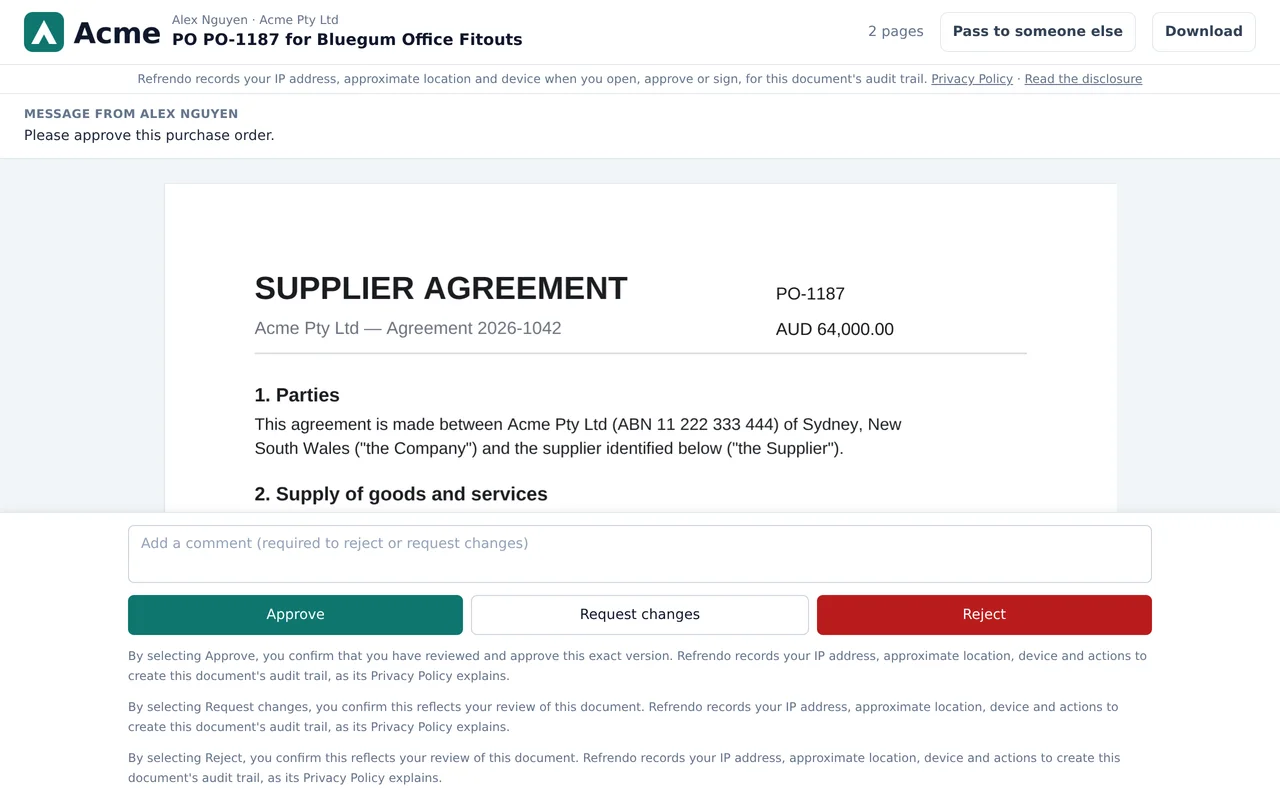
Approval steps are optional, and on every plan. When a document does need a sign-off first, such as Finance on a purchase order, add it as a step in the same request. It happens in order and is recorded with everything else.
- In order: Finance, then Legal, then the customer, each asked only when it’s their turn.
- Together: everyone in a step at once, or whichever of them gets to it first. Team and above
- By quorum: any 2 of your 3 directors. Business and above
- By the details: a purchase order of $50,000 or more adds the CFO; under that, the department manager. A skipped step stays on the request with the reason it was skipped. How conditions work. Business and above
- Approve, reject or ask for changes. After changes, you revise or resend the document and everyone reviews the new version. Approvals given on the old version don’t carry over.
Evidence you can rely on
A record you can rely on
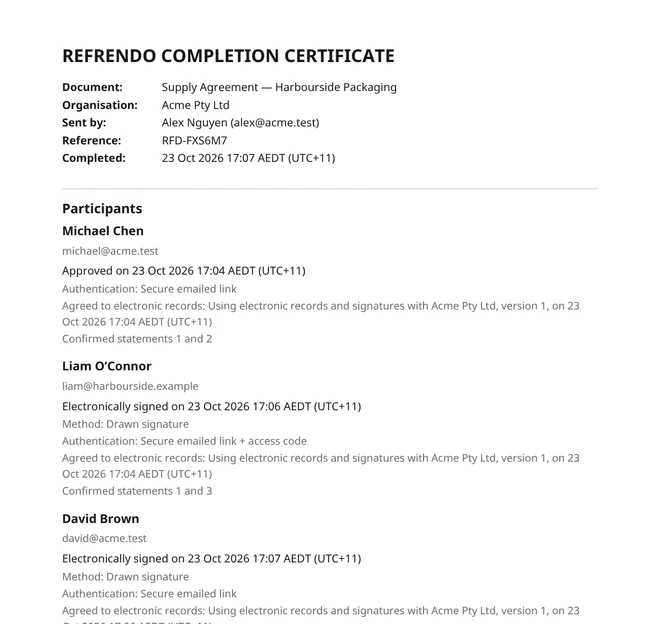
A completion certificate
Every completed request comes with one: who approved and signed, when, how each person was identified, when they agreed to electronic records, and the fingerprints of the original and signed PDFs. Keep it with the document.
Fingerprinted documents
The original and the final signed PDF each get a SHA-256 fingerprint. Change a single character and it no longer matches.
A chained audit trail
Every step is recorded, including the consent wording each person saw, and each record is linked to the one before. Editing a record later breaks the chain, so the change can be detected. The database refuses edits and deletes.
Files made to be kept
The certificate is PDF/A-2b, the archival standard, and so is the signed document when the uploaded file allows it. Anyone downloading can take a password-protected copy to share.
For teams
For teams that send regularly
Templates
Save the document, the people, the order and the fields. Add details the sender fills in, written onto the PDF and into the title, and slots for supporting PDFs such as a quote. Design the route as a flowchart or a list.
Public form linksBusiness and above
A template anyone can start from a link or a QR code. They prove their email with a code, fill in the details and sign, and any steps you have set up follow.
Witnessed signaturesBusiness and above
Ask for a signer’s signature to be witnessed, on the signer’s device or by the witness’s own link. The witness’s declaration goes on the certificate.
BrandingBusiness and above
Your logo and colour on public forms, request emails and the pages your recipients sign on.
Reminders
Automatic reminders every 1 to 14 days, up to five each, and you can change the schedule while a request is waiting.
Pass it onTeam and above
On leave? Signers and approvers can hand their turn to someone else, and you can reassign.
Roles and verified domains
Five built-in roles decide who can send, approve, manage templates or see the whole organisation’s documents. Prove you own your email domain and colleagues can join without an invitation.
Single sign-onBusiness and above
Your people sign in with Microsoft Entra ID, Okta or Google, and lose access as soon as you remove them.
API and webhooksBusiness and above
Send requests from your own systems and hear back the moment something is signed.
Where it fits
One price for the workspace, however many of you send
Your plan covers the workspace, not each person in it. Everyone who sends draws on the same monthly allowance, and the people you send to never pay. If you now pay for a licence per user, each with its own sending limit, the people who send now and then can share one plan instead.
Employment and onboarding →
HR sends the contract and the policies. Every new starter signs on their phone, and none of them pays or needs an account.
Supplier agreements →
The supplier signs, and your director countersigns last, on the version the supplier signed. Add Legal or Finance first if they need to approve it.
NDAs →
Send one from a template in under a minute, or put it on a link the other side opens and signs themselves.
Purchase orders →
The budget holder and Finance approve the order before the supplier signs, and large orders go to the CFO.
Clubs and committees →
Committee resolutions, conflict of interest declarations and member forms. Volunteer-run groups can apply for free access.
Personal documents →
Flatmate agreements, residential leases and loans between friends, signed on a phone by everyone involved.
Pricing
One price for the workspace, not per user
Each plan is a monthly price for the workspace, with up to 5 senders on Team and 15 on Business. Everyone who sends shares one monthly allowance of requests, and approvers and signers are free. Buy a pack of extra requests when you need one. There is no surprise overage.
Free · Starter · Team · Business · Pricing to be announced
Moving from another tool?
Questions
What does “Refrendo” mean?
Refrendo (reh-FREN-doh) is Spanish for a countersignature or endorsement: the signature added to a document to confirm it has been approved and is valid. It comes from the verb refrendar, to countersign, endorse or ratify. Refrendo gets documents signed, with approval steps first when a document needs them.
Do we pay per user?
No. You pay one monthly price for the workspace, which includes up to 5 senders on Team and 15 on Business. Everyone who sends shares the workspace’s monthly allowance, and approvers, signers and copy recipients never pay.
Do the people who sign need an account?
No. Approvers and signers from outside your organisation open a secure link from their email and sign in their browser, on a phone or a computer. They never pay and never need to sign up.
Are electronic signatures legally binding in Australia?
Electronic signatures are recognised under the Commonwealth and state Electronic Transactions Acts for most documents, business or personal: contracts, purchase orders, policies, and private agreements between individuals. Residential tenancy agreements are covered too, and the NSW standard form says so on its face. Some documents have special rules, such as wills and, depending on the state, some deeds and statutory declarations. Refrendo records who signed, when, how they were identified and exactly what they signed, with a completion certificate; whether a particular document can be signed electronically is for you to check. This is general information, not legal advice.
What counts towards my monthly allowance?
Each document you send counts once, however many people approve or sign it. Reminders, resending after changes, and passing a request to someone else never count again.
What happens if we reach our limit?
Everything already sent carries on and can be completed. Nobody is blocked from signing. New requests pause until the next period, unless you add a pack of extra requests or move to a larger plan. We never add surprise overage charges.
Can we use it in Spanish?
Yes. Refrendo is available in English and Spanish, and you choose the language each request is sent in. A Spanish-speaking supplier gets Spanish emails and a Spanish signing page.
Join the closed beta
Refrendo is invitation-only for now. Organisations in the beta send free for as long as it runs.