Features
Everything Refrendo does, and the plan each part needs
Electronic signatures, with approval steps when a document needs them, from the first upload to the certificate. A feature with no label is on every plan, including Free. During the beta, every feature is switched on for every workspace.
Sending
Upload a PDF, add the people, place the fields, send
A request is one document and everyone who needs to act on it. Setting one up takes a couple of minutes, and it saves as a draft while you work.
PDFs up to 25 MB
Up to 500 pages each, and 1,000 pages in a request once supporting PDFs are joined. Every upload is checked for malware first.
Four roles
Needs to approve, Needs to sign, Needs to view (read and confirm), and Receives a copy. Name a role, such as Supplier or Board member, and it shows on the certificate.
More about this →17 field types
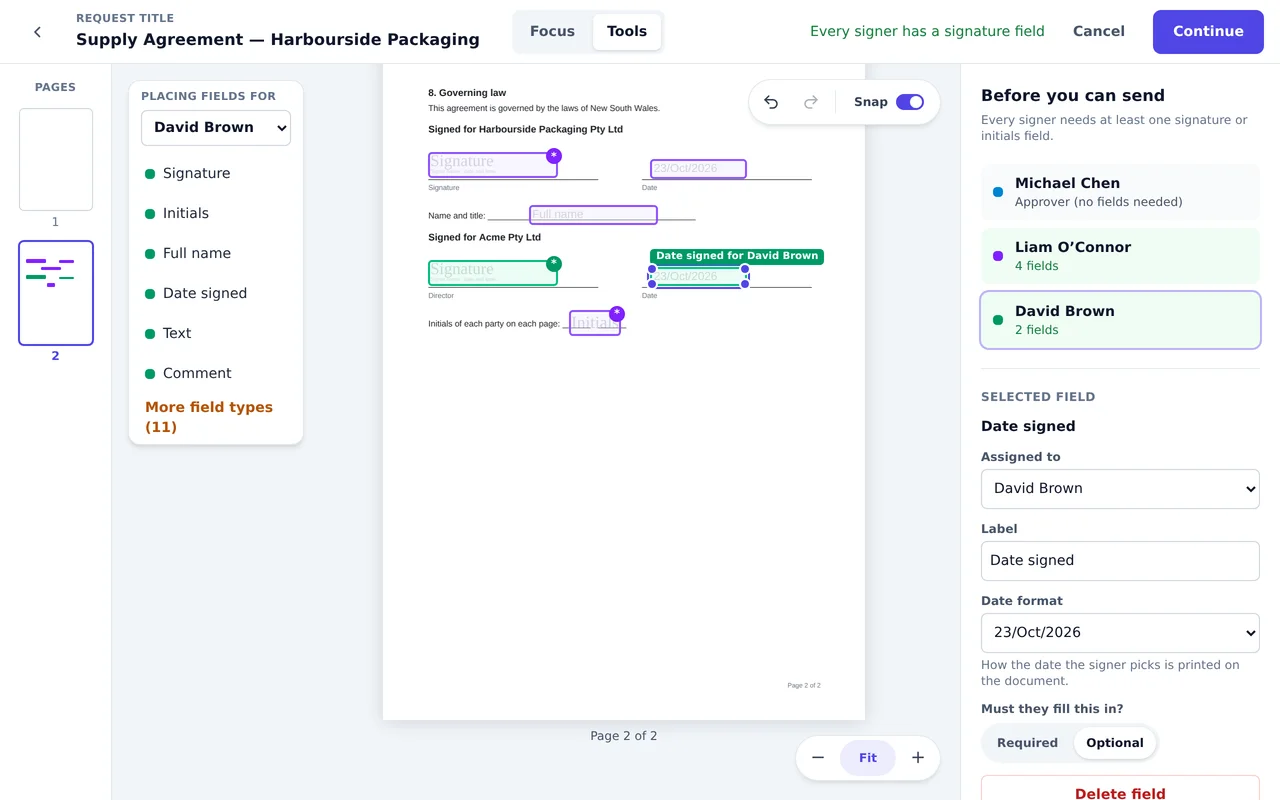
Signature, initials, name, dates, text, number, currency in 12 currencies, checkboxes, choices and more, each required or optional.
Deadlines and messages
A date the request must be finished by, which you can move while it’s waiting, a due date for each step, and a message to everyone or to each step.
English and Spanish
Choose the language each request is sent in. A Spanish-speaking supplier gets Spanish emails and a Spanish signing page.
Drafts and retracting
Drafts wait under Needs finishing. Retract a request at any time before it completes, with a reason the recipients see.
More about this →Approvals and routing
Approval steps, when a document needs them
Approvals are optional and on every plan. Steps run in order, and nobody in a later step is emailed until the earlier steps are complete, so a supplier never sees a contract Finance hasn’t approved.
Approve, reject or ask for changes
A reason is required to reject or ask for changes. A revised document goes back to the first step, and approvals stay tied to the version they were given on.
More about this →Everyone, or any oneTeam and above
Several people in one step: everyone must act, or the first to act settles it for the rest.
QuorumBusiness and above
A minimum number in a step, such as any two of three directors. Once enough have acted, the others are no longer asked.
More about this →Conditional routingBusiness and above
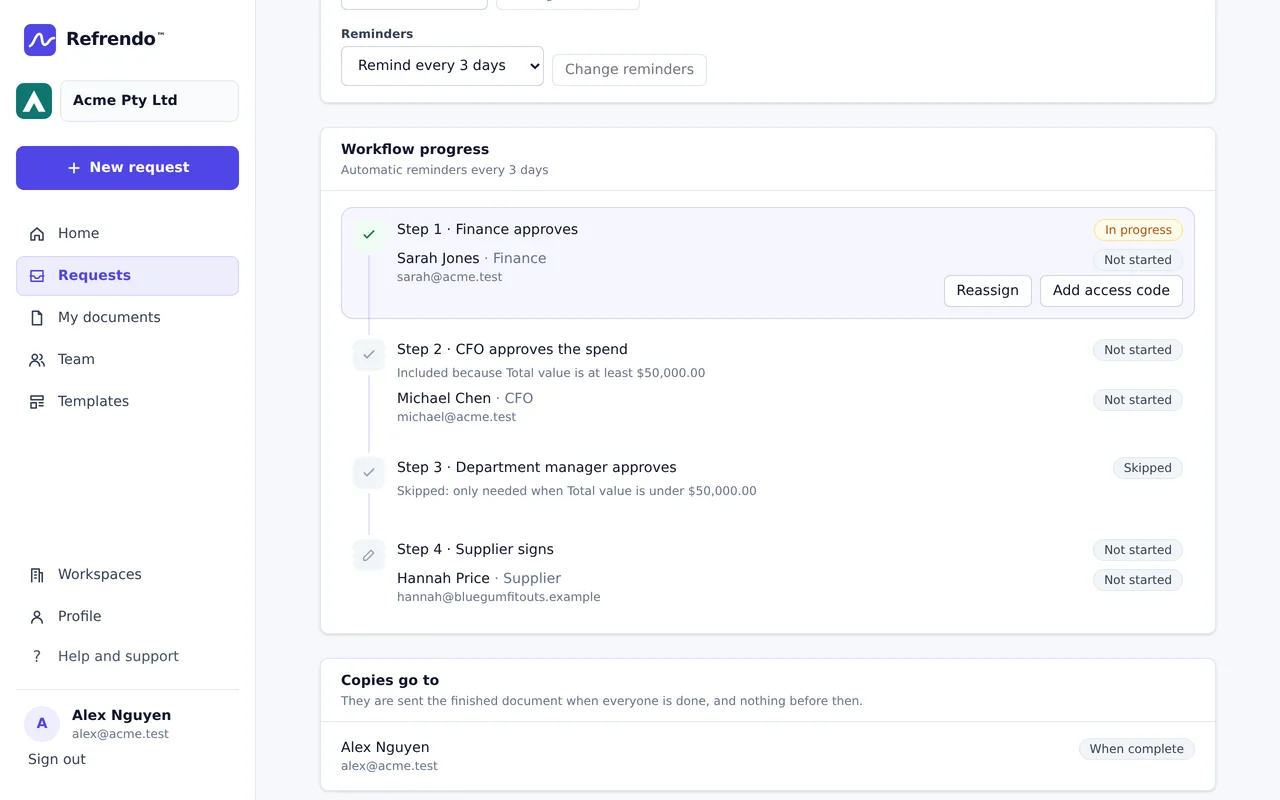
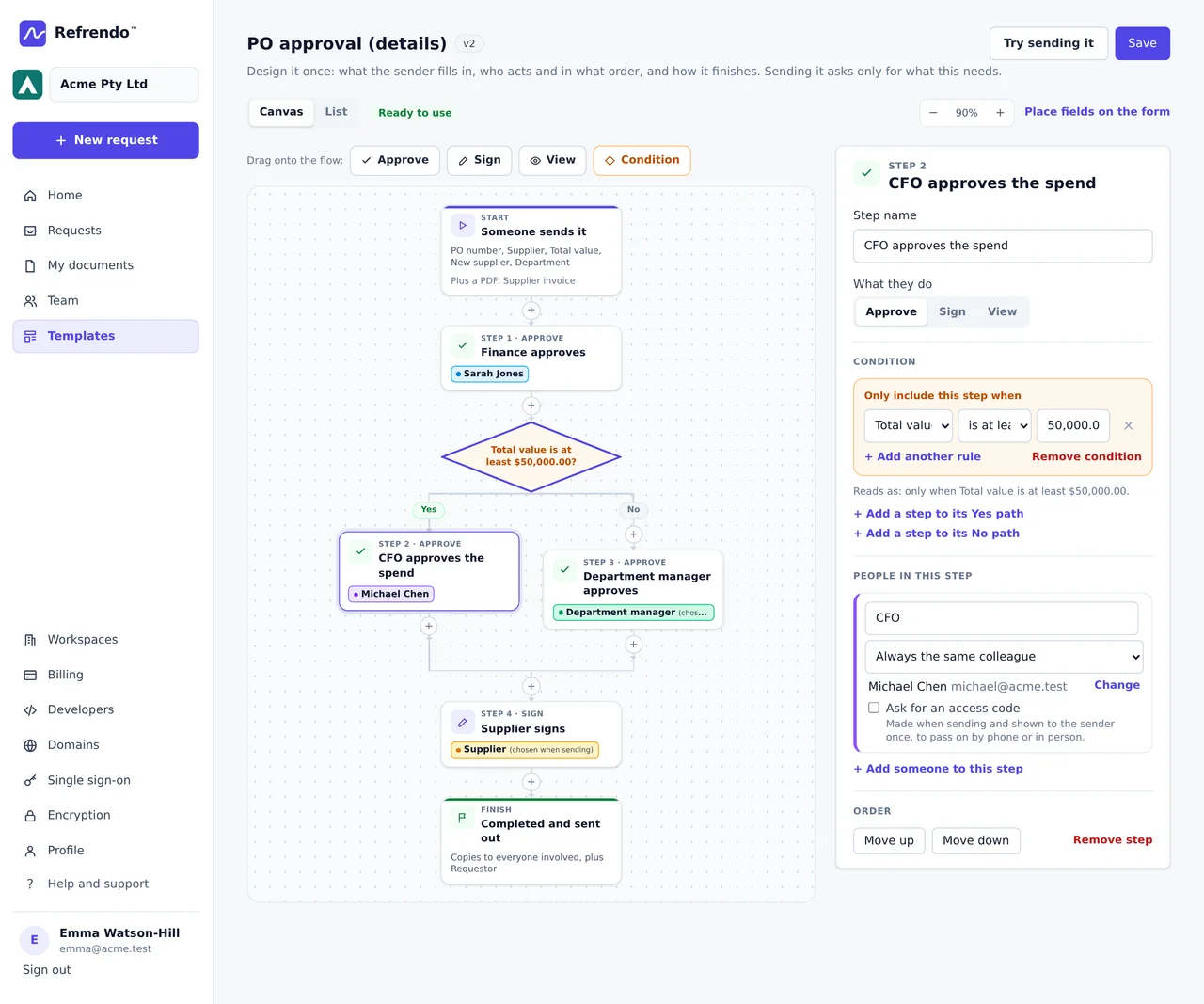
Include or skip steps by the details the sender fills in, such as the CFO only for orders of $50,000 or more. Skipped steps stay on the record with the reason.
More about this →Pass it onTeam and above
Recipients can hand their turn to a colleague with a reason, and you can reassign someone who is away. The first person stays on the record.
Automatic reminders
Every 1, 2, 3, 5, 7 or 14 days, up to five each, changeable while the request is waiting.
Templates and forms
Set it up once, send it in a few clicks
A template keeps the document, the roles, the steps and the fields, and asks the sender only for what changes each time.
Details the sender fills in
Up to 30, written onto the PDF where you place them, used in the request’s title, and used to decide the route.
More about this →Supporting PDFs
Up to 10 slots for files the sender attaches, such as the quote behind a purchase order, joined after the template’s pages.
The designer
Lay the route out as a flowchart, with each condition’s Yes and No paths drawn, or as a list. Every save is a new version.
Public form linksBusiness and above
A template anyone can start from a link or a QR code: they prove their email with a code, fill in the details and sign, and your steps follow.
More about this →On your own websiteEnterprise
Embed a public form in your own site, and only the sites you list can show it.
For the people you send to
No account, no app and no charge for anyone you send to
Approvers, signers, viewers and copy recipients open a link from their email and act in the browser, on a phone or a computer.
Type, draw or upload
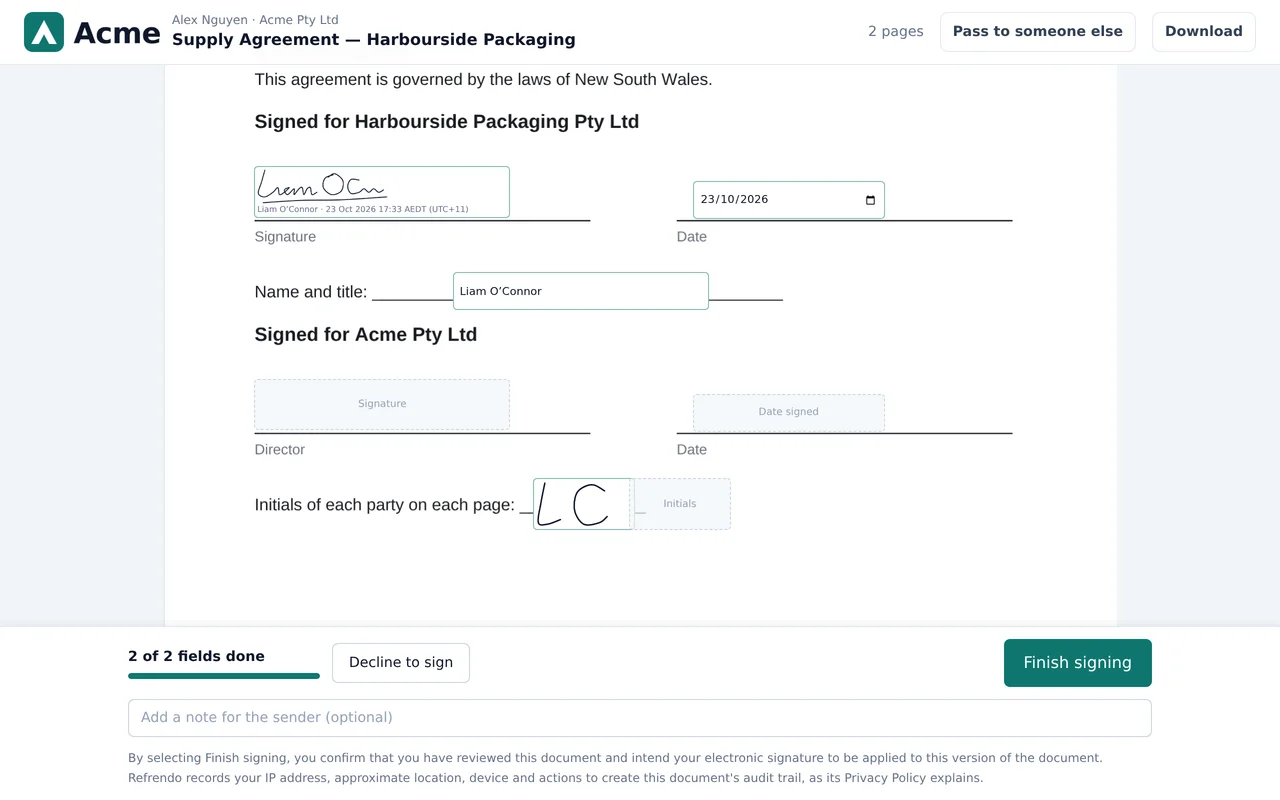
A signature in any of the three ways, and initials separately, in a pad sized for them. Colleagues can save theirs.
Access codes
Ask for a code before someone can open their request, and give it to them by phone or in person. On every plan.
More about this →Electronic records disclosure
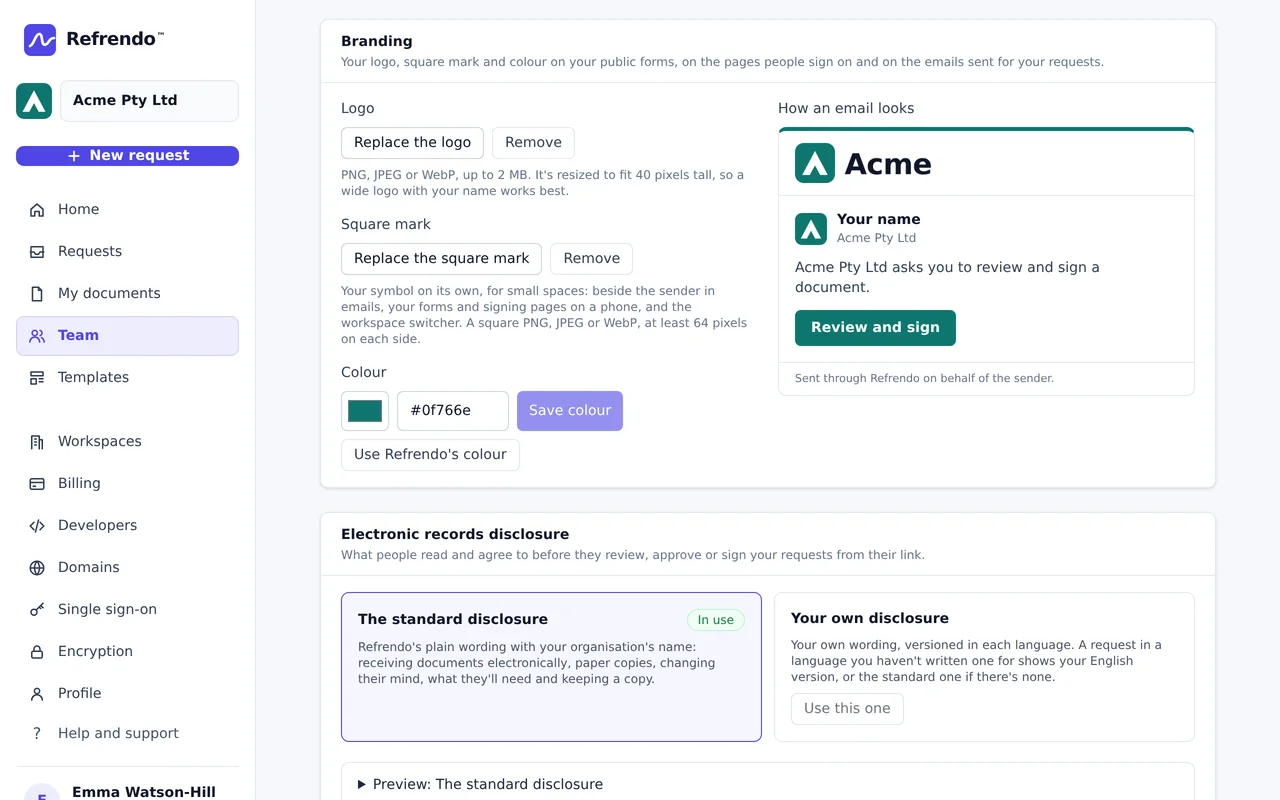
Everyone reads a short disclosure from your organisation and agrees to use electronic records before they start.
More about this →Your own disclosureBusiness and above
Publish your own wording, versioned, in each language you send in.
Witnessed signaturesBusiness and above
A witness on the signer’s device, or by their own link, in person or over a video call, with their declaration on the certificate.
More about this →Your brandingBusiness and above
Your logo and colour on public forms, request emails, signing pages and the page where people collect their signed copy.
More about this →Evidence
A record you can keep with the signed document
When the last person acts, everyone gets the signed PDF and a completion certificate, and the request keeps a tamper-evident audit trail.
Completion certificate
Who did what and when, how each person was identified, what they agreed to, and fingerprints of the original and signed PDFs. On every plan.
More about this →A chained audit trail
Every event is linked to the one before, and the database refuses edits and deletes, so a later change is detectable.
More about this →PDF/A
The certificate is PDF/A-2b, the archival standard, and so is the signed document when the uploaded file allows it.
More about this →Require PDF/ABusiness and above
Turn away PDFs that can’t be kept in archival form at upload, before anyone signs.
Password-protected copies
Anyone downloading can take a copy that opens only with a password, to share.
Every version kept
A revision is always a new version with its own fingerprint. Nothing is overwritten.
Teams and security
For organisations, and the people who look after them
Workspaces for organisations and individuals, permissions that decide who sees what, and files encrypted with your organisation’s own key.
Roles and permissions
Owner, Administrator, Sender, Approver and Viewer. An administrator sees the organisation’s requests; a sender sees their own.
Verified domains
Prove you own your email domain, and choose whether colleagues join automatically, ask to join or need an invitation.
More about this →Single sign-onBusiness and above
Over OpenID Connect, with Microsoft Entra ID, Okta, Google Workspace or another provider, on your verified domain.
More about this →Two-step verification and passkeys
Required to send from a password account. Passkeys and Sign in with Microsoft on every plan.
More about this →Your organisation’s own key
Every file is encrypted before it’s stored, with a key locked by your organisation’s, which your administrators can rotate.
More about this →Access that ends when employment does
Removing someone ends their sessions, their API keys and their seat, and leaves everything they signed on the record.
More about this →Developers
Send from your own systems
Create requests from your ERP, HR or purchasing system, and hear back the moment something happens.
REST APIBusiness and above
Upload documents, send from templates with the details filled in, track requests and download the results.
More about this →Signed webhooksBusiness and above
Hear about each approval, rejection, signature, handover and completed request, each delivery signed so you can check it came from Refrendo.
More about this →Join the closed beta
Refrendo is invitation-only for now. Organisations in the beta send free for as long as it runs.