How a condition works
Conditions live in templates. Business and above A template sets out the details the sender fills in at send: a PO number, a supplier, a total, a department, whether the supplier is new. Each detail can be written onto the PDF where you place it, used in the request’s title, and used in a rule that decides whether a step applies.
- Only when it’s needed. The CFO approves only when the total is $50,000 or more.
- One or the other. Under $50,000, the department manager approves instead. Steps can sit on the Yes or the No path of an earlier rule.
- More than one rule. Procurement checks a new supplier, or any order over a limit, with the rules combined so that any of them is enough.
The sender sees the route change as they fill the details in, before anything is sent.

Drawn as a flowchart
The template designer lays the route out as a flowchart. Drag an approval, signature, review or condition onto it, and each condition draws its Yes and No paths, with the rule written out in words beside it: “only when Total value is at least $50,000.00”. If you would rather read it as a list, switch to the list view.
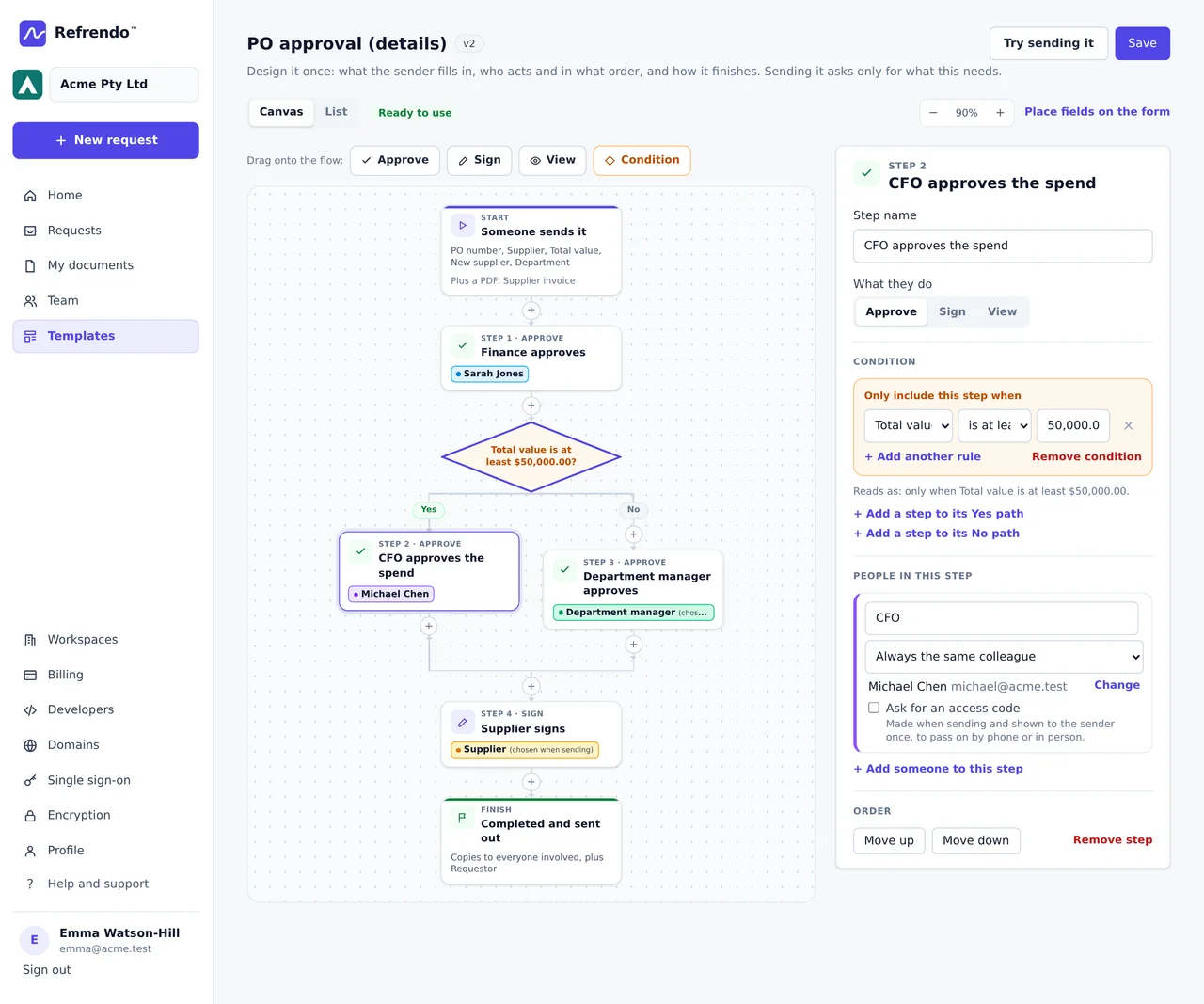
Check the flowchart against your approval policy before anyone uses it. Every save is a new version of the template, a request already sent keeps the version it started from, and two people editing at once can’t overwrite each other’s work.
The record shows why someone wasn’t asked
A skipped step isn’t deleted. It stays on the request, marked as skipped, with the rule that left it out. When an auditor asks why the CFO didn’t approve a particular order, the request answers: the total was under the limit, and the department manager approved it instead.
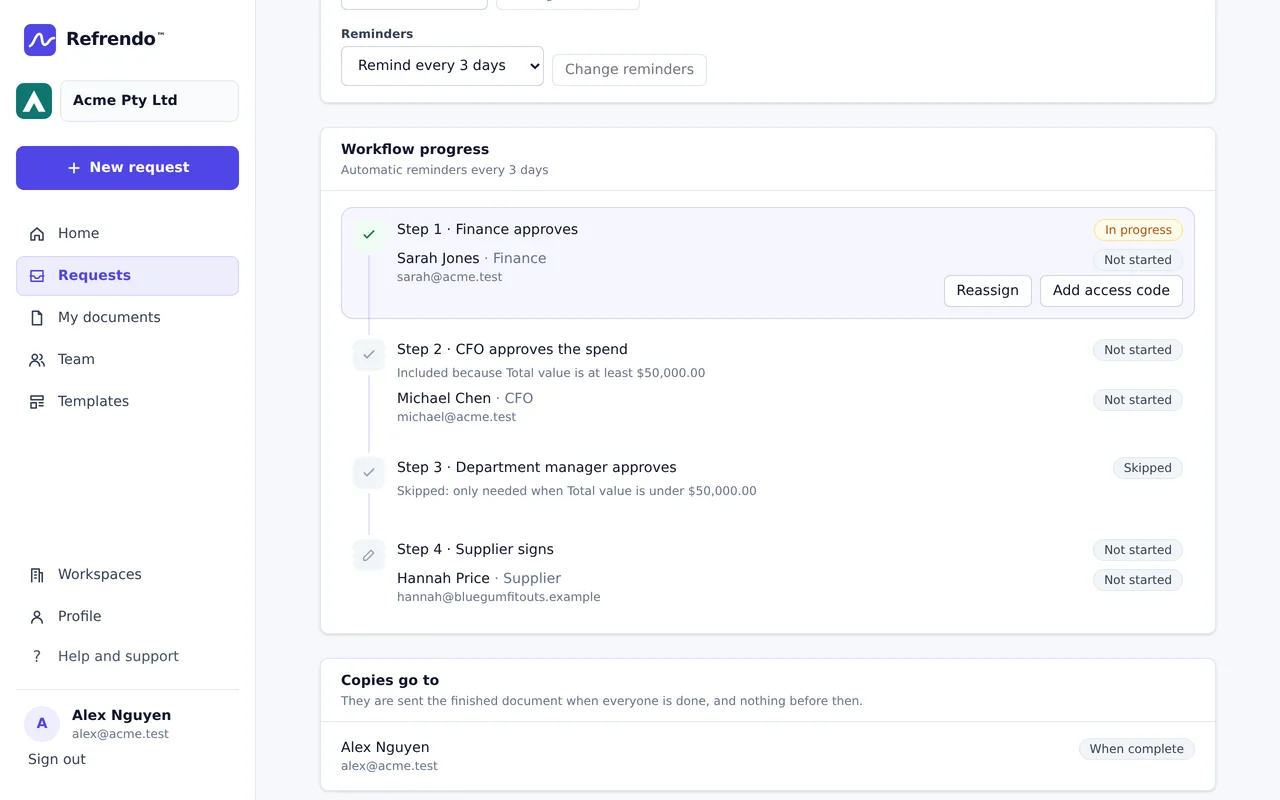
Every decision is tied to the version of the document it was made on. If an approver asks for changes, the revised document goes back to the first step, and the approvals given on the old version stay on the record against it.
Your delegations still decide
Conditions follow the rules you write; they don’t know your delegation of authority. Write the template’s rules from the policy, and update the template when the policy changes.
The same goes for handing a turn to someone else (Team and above). Pass it only to someone whose delegation covers the amount. Refrendo records the handover; it does not know your delegation limits.
Where it’s used
- Purchase orders, with the quote attached as a supporting PDF and the CFO only above your limit.
- Capital expenditure, with the CEO or the board only above theirs.
- Invoices and expenses, approval only, with a different approver for each cost centre.
- Contracts, where Legal reviews only those over a value or with non-standard terms.