How it works
Switch a link on from any template that suits being started by someone else. Business and above Then:
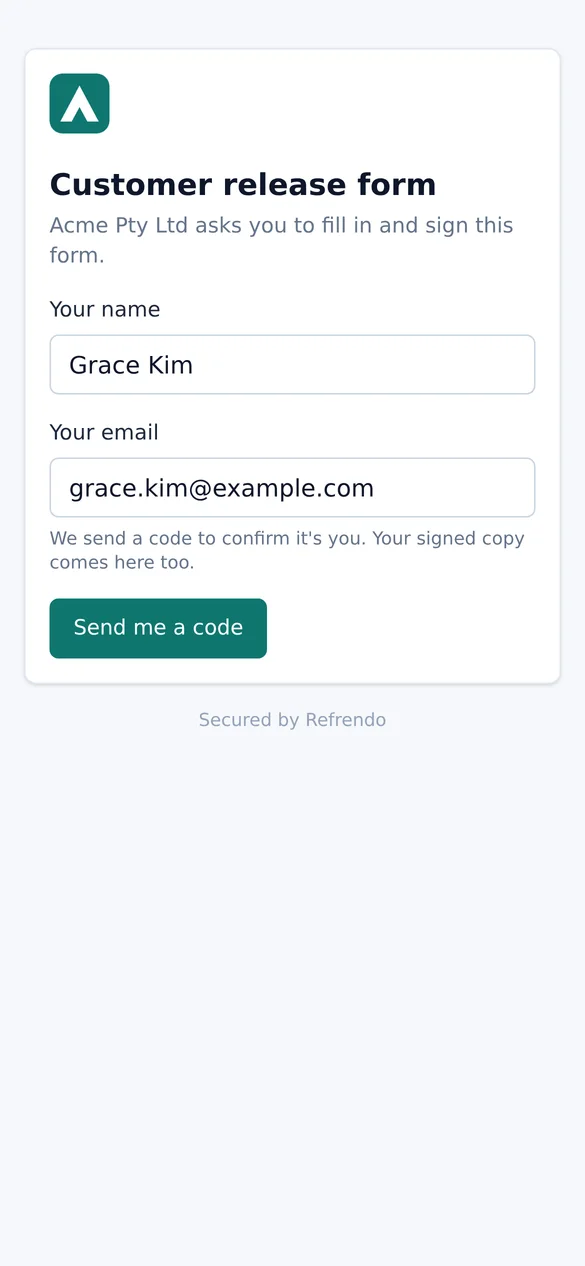
- They open the link from your website, an email or a QR code, and give their name and email.
- They prove the email. Refrendo emails a one-time code, and they enter it.
- They fill in the details and sign. The details are the template’s, written onto the document where you placed them.
- Your steps follow. The request runs through the template’s full workflow, so a manager can approve it, a director can countersign it, and HR can receive a copy.
Where to put the link
- A non-disclosure agreement sent ahead of a meeting, or on a tablet at reception. See NDAs.
- Customer and supplier onboarding, with the account form on your website and Finance approving each new account.
- Membership forms and consent forms for a club, on the website and as a QR code at registration. See clubs and associations.
- Service agreements and access requests, where the person asking starts the paperwork themselves.
In your branding
With branding switched on Business and above, the form shows your logo and colour, and so do the emails and signing pages that follow. The page still says it is secured by Refrendo, and the emails come from Refrendo’s address.
What the record shows
The person is identified by the code sent to their email address: the certificate shows their email as verified by a code. That is all the identification a public form gives. It proves they could read that inbox, not who they are. For anything where identity matters, add an approval step where someone on your side checks it.
Everything else is recorded as it would be for a request you sent: the disclosure they agreed to, what they filled in, when they signed, and the decisions of everyone after them, on one tamper-evident audit trail.
On your own website
Embed the form in a page on your own website, rather than linking to it. Enterprise The form loads only on the sites the link lists, so nobody else can put it on theirs.